Features
Built for the way cyclists actually ride.
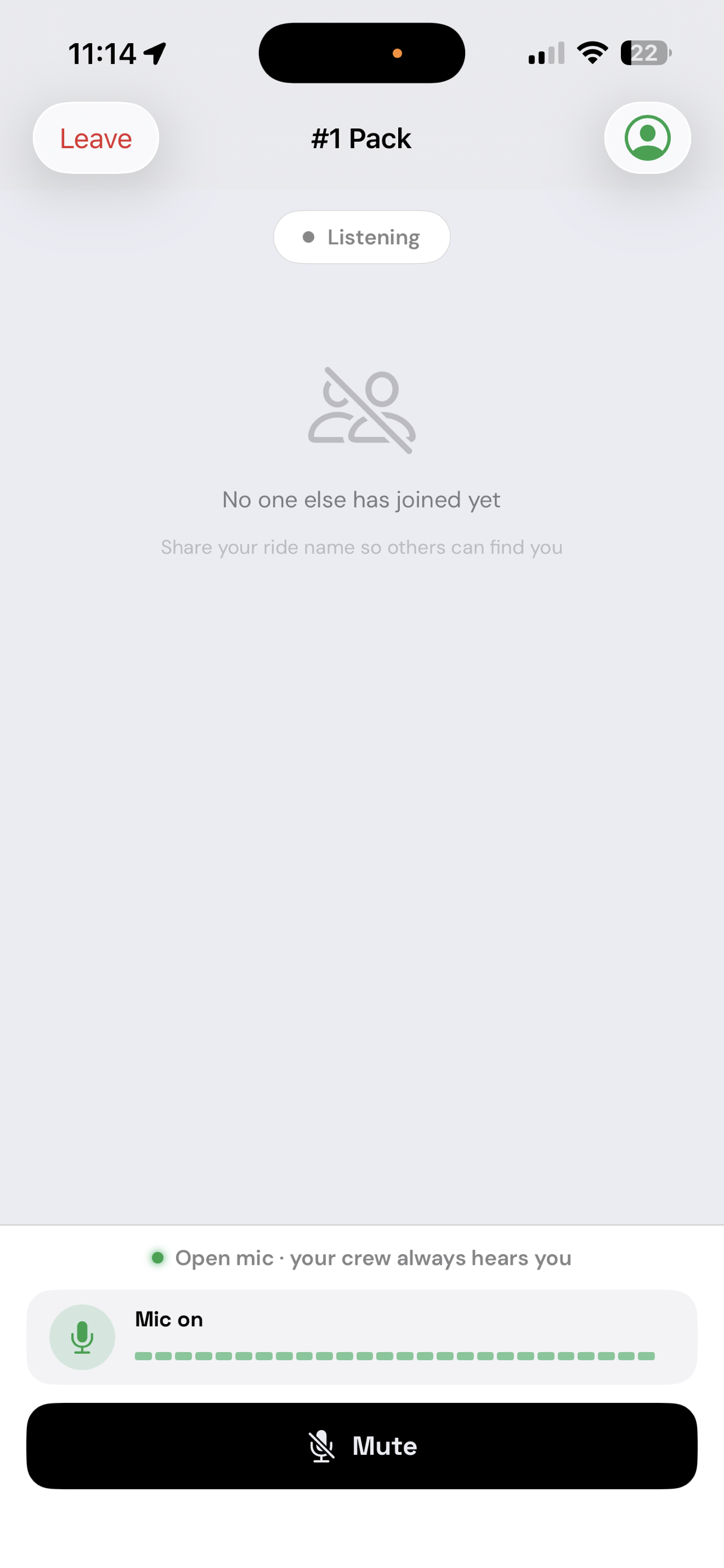
Broadcast without touching your phone
RidePack keeps your mic live for the entire ride — no button to press, no gesture to make. Your hands stay on the bars. The moment you speak, the pack hears you. Music ducks automatically so your voice always cuts through.
Tap Mute any time to drop off the channel instantly. Tap again to rejoin. Everything else is automatic.
Step off the channel in one tap
Your mic is live by default so the pack always hears you. When you need a moment — taking a call, stopping at a café, or just riding quietly — tap Mute to drop off instantly. The group continues without interruption. Tap again to rejoin with no reconnect delay.
Your soundtrack stays — just quieter
By default your music stays gently lowered for the whole ride, so a packmate's voice always cuts through the moment they speak. Prefer the dip only while someone's actually talking — music back up within about half a second of them finishing — or no ducking at all? The Lower Music setting gives you all three, in Settings or right from the in-ride audio sheet.
Works with Apple Music, Spotify, and any app that plays through iOS audio sessions.
One channel, any distance.
Every rider in your group joins the same real-time voice channel, carried over LiveKit's WebRTC infrastructure. It doesn't matter whether the pack is wheel-to-wheel or strung out across miles of road — everyone stays in earshot. Voice travels over your cellular or Wi-Fi connection, and if you ride through a dead zone the app reconnects automatically the moment signal returns.
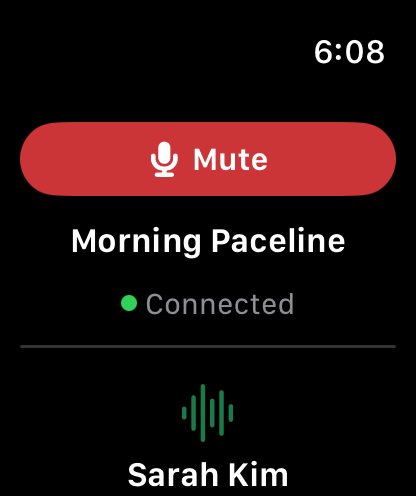
Eyes on the road, wrist in the loop
The Apple Watch companion mirrors your entire ride in real time — group name, participant list, who's speaking, connection state. Mute yourself or leave the ride without touching your phone. Haptic taps land on your wrist the instant someone in the pack speaks.
Feel the pack, even in noise
Riding near traffic? Wearing noise-canceling earbuds? Haptic feedback from both iPhone and Apple Watch means you always know when someone's talking — even when you can't hear a thing. Sound alerts (a soft chirp on incoming voice) can be toggled independently from haptics.
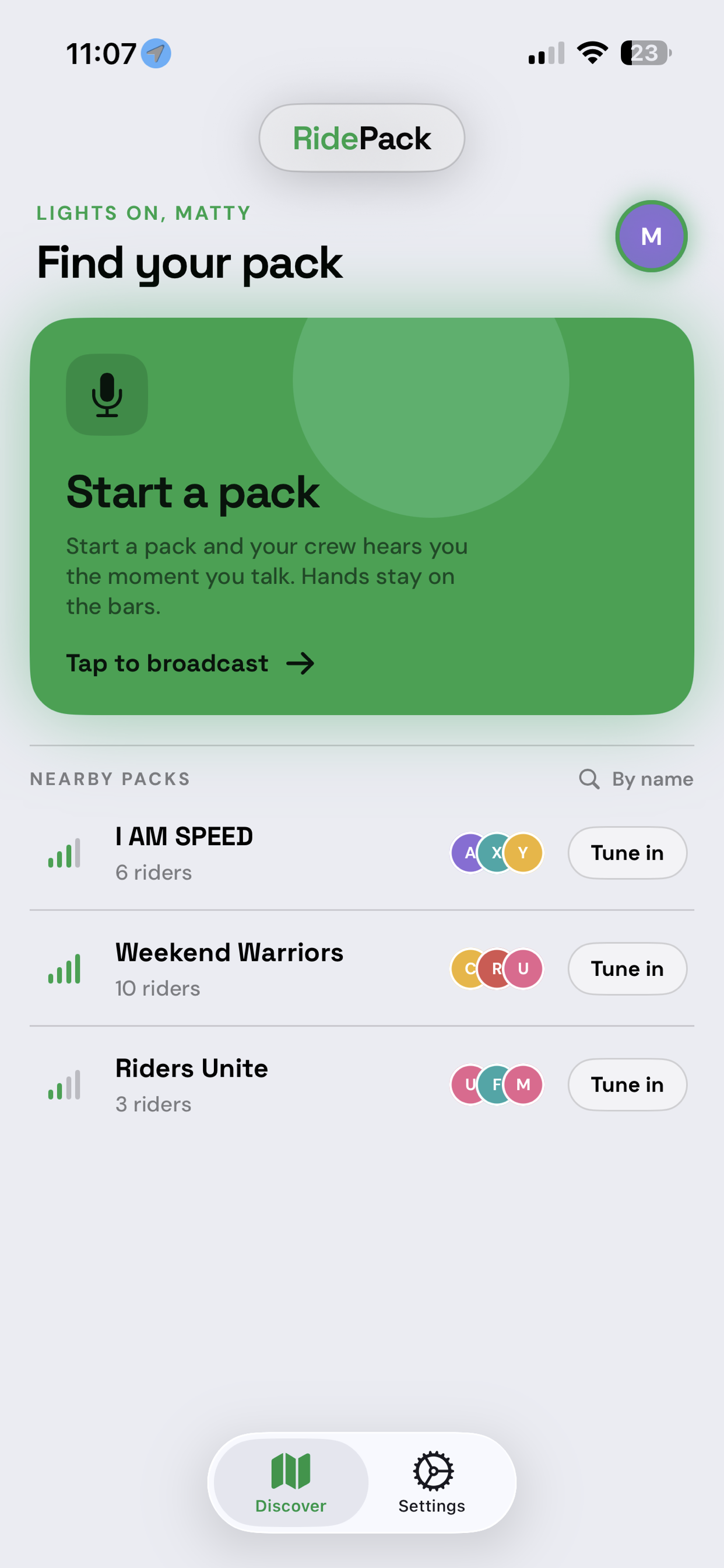
Nearby riders, automatic connection
RidePack uses location to detect cyclists near you and surfaces nearby groups. Join with one tap, or create a named ride for your group to find. The ride owner controls who joins — a single approval gets each new rider into the channel.
When the owner leaves, the ride automatically transfers to the next member. When everyone's gone, the ride ends cleanly.
Always visible, even when your phone is locked
On iPhone 14 Pro and later, RidePack lives in the Dynamic Island for the entire ride. See the current speaker, member count, and your mute status without unlocking your phone. On the Lock Screen, a Live Activity widget keeps the same information at a glance.
Clear voices at speed
Wind roar, road buzz, passing traffic — RidePack strips it from your mic before your pack hears it, so voices stay clear at speed with no special headset required. It's on by default, with a toggle in Settings (and in the in-ride audio sheet) if you ever want the raw feed.
Free to download, one simple subscription
RidePack is free to download. Riding requires a RidePack Pro subscription, which covers everything — unlimited-range group voice, hands-free open mic, and the Apple Watch companion.
Each rider subscribes for themselves — there's no group owner covering the cost for everyone, and every rider gets a free trial, so your whole crew can try a full weekend of rides before paying anything.
RidePack Pro is $4.99/month or $29.99/year, each with a 7-day free trial. Manage or cancel anytime through your Apple ID. Pricing and features are subject to change.
Riding as a household? The Pro Family plan — $9.99/month or $59.99/year, same 7-day free trial — covers up to 6 people in one Apple Family Sharing group, each with full Pro access.